~22 min
No Plugins
Beginner – Intermediate
Source Files Free
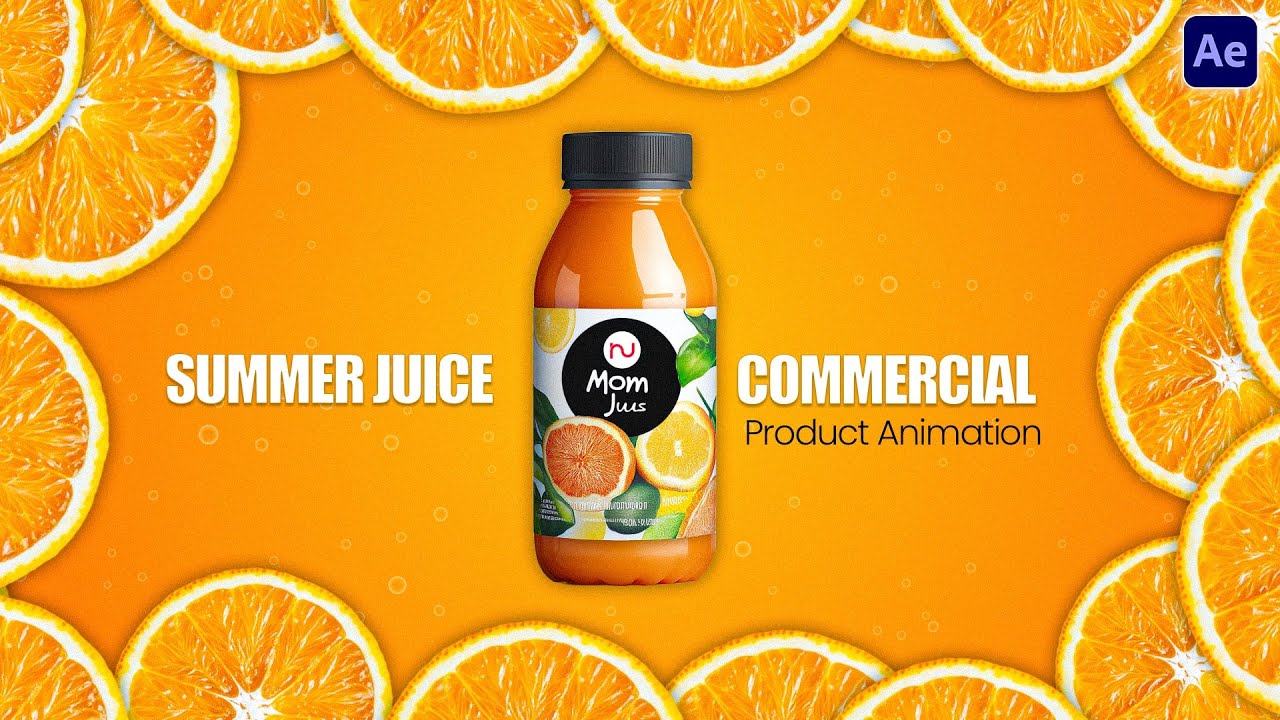
Product animation is one of the most in-demand skills in motion design today. Brands across food, beverage, beauty, and
e-commerce spend heavily on short product films for ads, social reels, and packaging reveals — and this tutorial shows you
exactly how that kind of work gets built inside After Effects.
What makes this tutorial stand out is that it uses zero third-party plugins. Everything — the liquid flow,
the wave fill, the page-turn label, the orange squeeze — is built using tools that ship with every copy of After Effects.
That means once you learn this, you own it. No subscriptions, no compatibility issues, no plugin clutter.
Why Product Animation Is Worth Learning
Product video is no longer a luxury reserved for big-brand TV commercials. With the rise of short-form content on YouTube Shorts,
Instagram Reels, and e-commerce platforms, even small businesses and solo entrepreneurs now need motion graphics for their product launches.
A well-crafted 15-second bottle animation can outperform a static image ad many times over in terms of engagement and click-through rate.
More importantly, product animation is repeatable. Once you build this juice bottle workflow, the same logic applies
to a shampoo bottle, a perfume spray, a sauce pour, or a water drop. You are not learning a one-time trick —
you are building a reusable production system that scales across clients and projects.
What Happens in This Animation
Juice Pouring from the Top
A fluid stream of juice drips from above with rough, organic edges — not a perfect line, but a real liquid feel created entirely with a stroke path.
Bottle Filling from the Bottom
A wave-surfaced juice layer rises inside the bottle, complete with a front and back shade layer — the surface settles flat once the bottle is full.
Orange Gets Squeezed
An orange visually compresses as the juice pours out, synced perfectly with the fill — a small detail that makes the whole thing feel alive.
Label Peels onto the Bottle
The packaging wraps onto the bottle using a page-turn effect — a classic technique used in real commercial product animations.
Leaves Sway Naturally
Plant leaves on the composition move on their own with a single two-word expression — no keyframes, no manual animation required.
Glass Reflections & Glow
Inner glow, bevel, and a screen-mode reflection layer give the bottle and liquid that premium, glossy look you see in professional drink ads.
Where You'll Use This Skill
Product Ads
FMCG brands — juices, beverages, sauces — use exactly this kind of animation for digital ads and reels.
Social Media Reels
Short liquid-motion clips perform extremely well on Instagram Reels and YouTube Shorts for food brands.
E-commerce Listings
Animated product thumbnails and listing videos increase clicks and conversions on marketplaces.
Freelance Projects
Local food and beverage startups regularly hire motion designers for exactly this type of work.
Brand Films & Packaging Reveals
Product launch videos and packaging reveals are a staple of brand identity motion work.
Portfolio Showreel
Product animations instantly elevate a motion design portfolio — they show both technical range and commercial awareness.
"Can't AI Just Do This Now?"
Yes — and you're right to ask. AI video tools today can generate impressive-looking clips in seconds.
You can type a prompt and get a juice-pouring animation without opening a single app.
But here's what AI cannot give you.
When you build this in After Effects, you control everything. The exact moment the juice hits the base.
The way the wave slows and flattens when the bottle is full. The precise timing of the cap drop. The colour of the inner glow.
These are not random outputs — they are deliberate, craftable decisions. And that difference shows in the final work.
More importantly: After Effects has a learning curve that unlocks a different kind of creative thinking.
Once you understand how Trim Paths, expressions, and layer styles actually work, you stop thinking in prompts
and start thinking in motion logic. That is a skill that compounds. Every project you build makes the next one faster and better.
AI is a tool. After Effects is a craft. Learning the craft makes you better at using the tools.
And honestly? Building a liquid fill animation that actually works the way you imagined it — that is a different level of fun.
Key Tools — What Each One Does
Trim Paths is a shape layer animator that lets you reveal or hide a stroke over time — perfect for drawing the juice stream from top to bottom as if it is being drawn in real time.
Wave Warp is a built-in distortion preset that applies a continuously moving wave to any layer. Applied to a rectangle, it instantly creates the illusion of a liquid surface. Adjust Wave Height for intensity and Wave Speed for how fast the liquid appears to slosh.
Roughen Edges breaks the clean border of a shape or stroke and makes it look organic. Animating its Random Seed parameter frame-by-frame gives the liquid drip a constantly shifting, natural edge — no hand-drawing required.
Track Matte uses one layer as a visibility mask for another. In this tutorial, a duplicate of the bottle shape is used as an Alpha Matte so the juice fill is clipped exactly inside the bottle silhouette — regardless of how the wave moves.
CC Page Turn simulates a page or surface peeling away and flipping over. It is used here to animate the product label wrapping onto the bottle front — a technique you will also see in cosmetic and food brand product commercials.
CC Slant tilts a layer along its horizontal axis. When its floor is set to the base of a plant element, the layer leans naturally as if caught in wind — without any keyframes.
Expression Used in This Tutorial
This tutorial uses one After Effects expression — and it is one of the most useful expressions a motion designer can know:
wiggle(1, 8)
Applied to the CC Slant value on the leaf/plant layer. The first argument 1 is the frequency — how many times per second the value changes. The second argument 8 is the amplitude — how far the value shifts. Together they create a continuous, random sway with no manual keyframes needed.
Expressions in After Effects are small pieces of JavaScript that control layer properties dynamically. wiggle() is one of the first expressions every motion designer learns — and this tutorial shows exactly where and how to apply it in a real project context.
Quick Questions
Do I need any paid plugins?
No. Every tool used — Trim Paths, Wave Warp, Roughen Edges, Liquify, CC Page Turn, CC Slant — ships with Adobe After Effects. Nothing extra required.
Can I use this for products other than juice?
Absolutely. The Wave Warp + masking approach works for any bottle or container — water, shampoo, perfume, sauce, soft drinks. Just replace the bottle PSD and adjust the colour palette.
What does the wiggle() expression do?
The expression wiggle(1, 8) makes the leaves sway randomly and continuously — no keyframes needed. The first number is frequency (times per second), the second is how far it moves.
Where are the source files?
They're linked in the YouTube video description and in the download button above — click it to go directly to the project file.
Want More Tutorials Like This?
Every week we drop new After Effects tutorials, AI workflow tips, and motion design techniques — all free, all practical.
Subscribe to Infizy Academy
Free tutorials every week • No spam • Unsubscribe anytime
Discussion (0)
Leave a Reply
No comments yet. Be the first to start the discussion!