All Tutorials
Previous Next
Motion Graphics

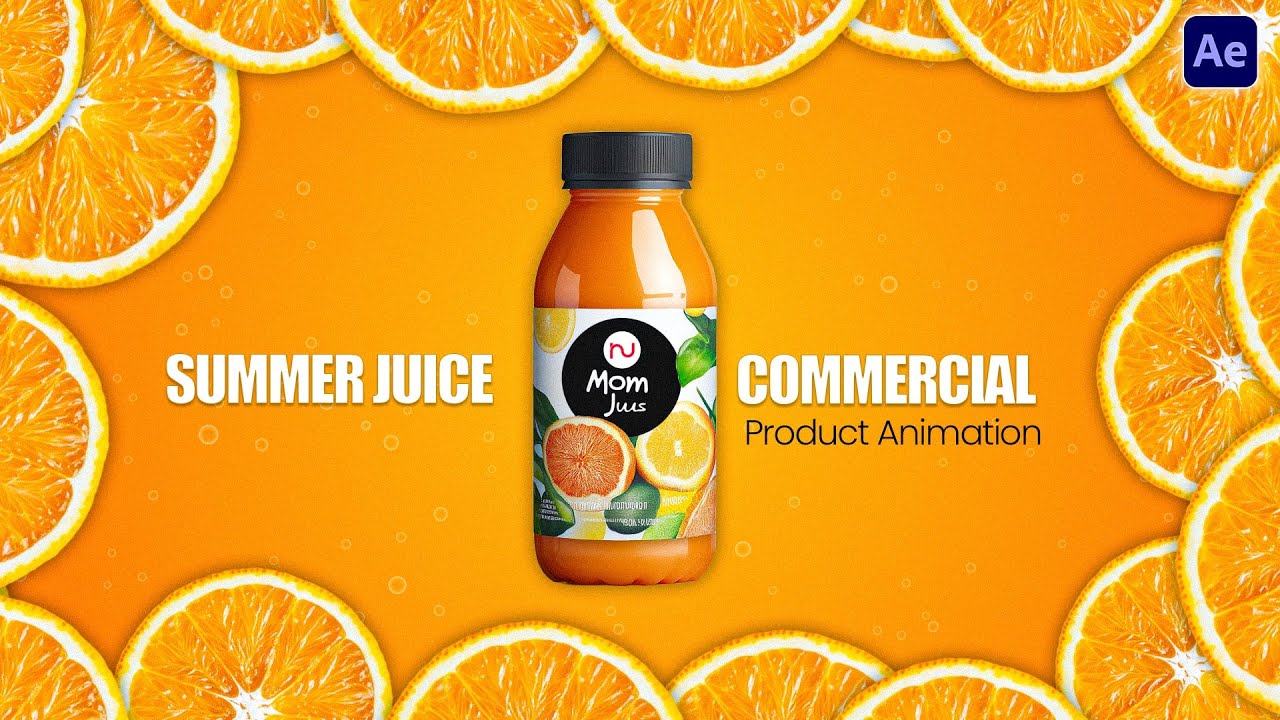
The Ultimate Guide to 360 Juice Bottle Rotation Animation in After Effects

360 ROTATION
CC REPETILE
3D CAMERA RIG
WIGGLE PHYSICS
THE LABEL ILLUSION

The 360° Wrap (Without 3D Plugins)

Creating a rotating bottle label typically requires heavy 3D software or third-party plugins like Element 3D. However, you can fake a perfect cylindrical rotation using After Effects' native CC Repetile effect on a flat PSD label.

By expanding the right edge infinitely and sliding the X-Position, the flat design appears to continuously loop and wrap around the contours of the bottle mockup.

  • 1. Prep the PSD Assets

    Import the Bottle Mockup and Packaging PSDs as "Editable Layer Styles". Organize the layers by flavor and pre-color them (e.g., Red for Pomegranate, Yellow for Mango, Green for Kiwi) to keep the timeline clean.

  • 2. Expand with CC Repetile

    Scale the packaging label down to 7%. Apply CC Repetile and set the Expand Right value to an extreme number (like 20,000). This duplicates the label horizontally into an endless seamless strip.

  • 3. Slide & Alpha Matte

    Animate the X-Position of the Repetile layer from right to left. Then, duplicate the bottle base shape, place it above the label, and set the label to Alpha Matte. Add a Fill effect for the base juice and cap colors.

  • 1. The 3D Camera Rig

    Move the assembled bottle into a Main comp. Make the layers 3D. Add a Camera and parent it to a Null Object ("Camera Controller"). Animate the Null's Y-Rotation (e.g., 0 to 5) to spin the entire scene organically in 3D space.

  • 2. Floating Elements

    To simulate a zero-gravity or underwater fluid environment, copy the wiggle expression (shown right) and paste it onto the Position property of the bottle, fruits, and leaves. Turn on Motion Blur for a highly cinematic feel.

  • 3. The Speed Graph Pop-in

    For the intro, animate the Y-Position of the bottle rising up into the frame while the fruits scale from 0% to 100%. Use the Speed Graph to pull the handle heavily to the left, creating a snappy entrance that settles smoothly.

DYNAMIC PHYSICS

Floating & Null Controllers

A static rotating bottle feels rigid. To bring the scene to life, we need fluid, random motion. Instead of manually keyframing the position of the bottle and every single fruit slice, we can use a simple Wiggle Expression.

AE Expression
wiggle(1, 50)

Applied to the Position property, wiggle(1, 50) tells After Effects to randomly move the layer up to 50 pixels, 1 time per second. Simply right-click the Position property, choose "Copy Expression Only", and paste it onto all floating assets.

Scaling the Workflow

By keeping the project organized, creating new flavors takes minutes instead of hours.

🥭

Mango (The Master)

The foundation of the animation. The packaging, colors (Yellow Fill), and floating fruits are set up here, alongside the CC Repetile rotation and the wiggle physics.

🥝

Kiwi Variant

Duplicated from the Mango comp. We use Alt + Drag to instantly replace the Mango packaging and fruits with the Kiwi PSDs in the timeline. The juice fill is changed to Green.

🍎

Pomegranate Variant

Duplicated from Kiwi. Alt + Drag to swap in the Pomegranate assets. The juice base is changed to dark red. The floating leaves' Z-Rotation is tweaked slightly so it doesn't look like a direct copy.

THE FINAL ASSEMBLY

Seamless Opacity Transitions

To assemble the final 30-second commercial, the three bottle comps are brought into a master timeline and staggered (Mango at 0s, Kiwi at 5s, Pomegranate at 11s). To make the cuts invisible, we use Opacity Keyframes to crossfade between the bottles exactly as they pass the camera.

To pull the aesthetic together, a 4-color Gradient background is added. As the bottle fades from Mango to Kiwi, keyframes on the Gradient colors shift the background from Yellow/Orange to Green/Dark Green, ensuring the lighting always matches the active product.

Master Commercial Animation

Subscribe for weekly breakdowns of broadcast-ready motion design workflows.

Subscribe Now

Discussion (0)

Leave a Reply

Verifying you are human...
Cloudflare security check in progress
Cloudflare

No comments yet. Be the first to start the discussion!